HMS 1A00-0100-0002-0026: Rack Movement Is Blocked While Nesting the Hotend
LayerWalker is a participant in the Amazon Services LLC Associates Program. We may earn a commission when you buy through links on our site, at no extra cost to you.
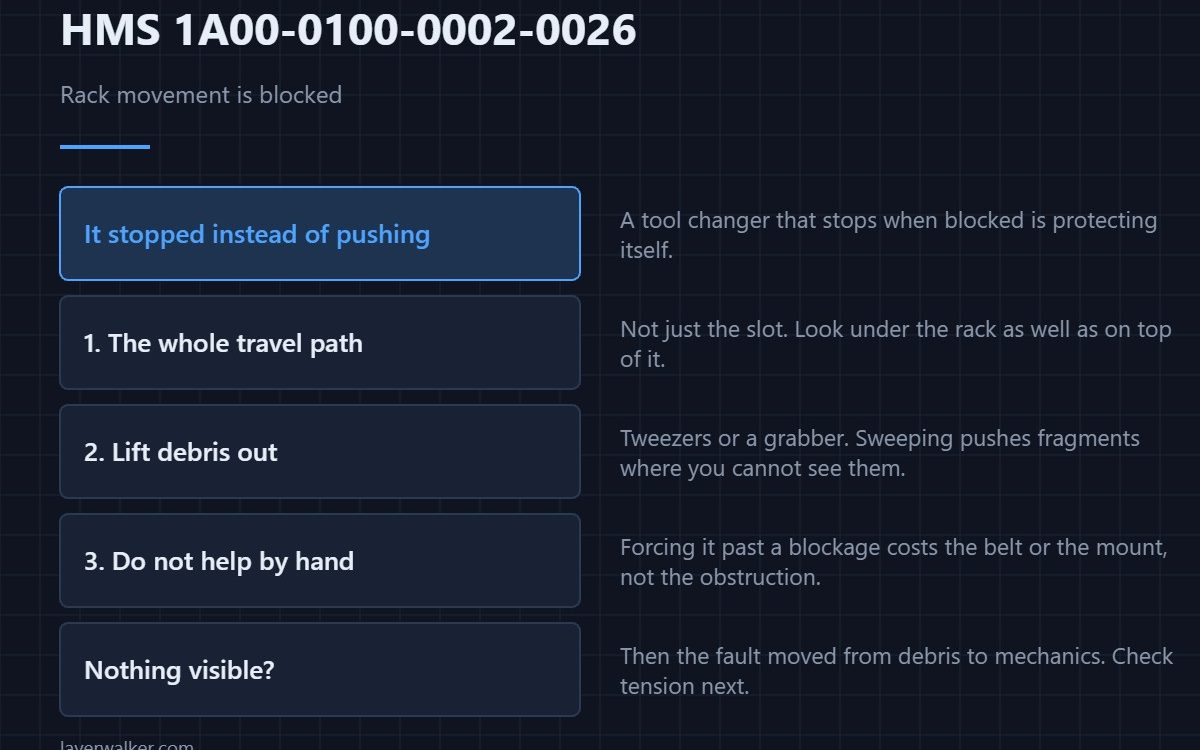
HMS 1A00-0100-0002-0026 means the rack met resistance partway through placing a hotend and stopped rather than pushing through it. Bambu asks you to look for foreign objects, remove them, and continue. Take that at face value before suspecting the mechanism.
A tool changer that stops when blocked is protecting itself. The same event with the stop disabled would bend something.
Where to buy


Where the obstruction usually is
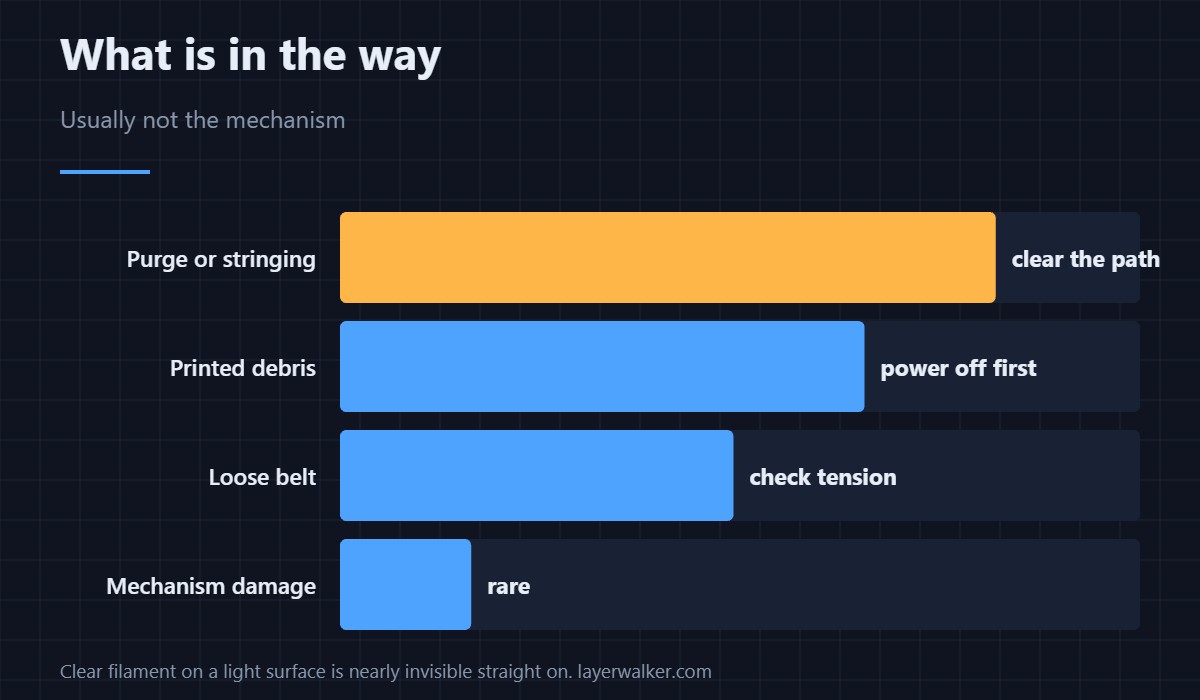
Purge and stringing collect in the travel path of the rack, and a single hard bead is enough to stall it. Look along the whole range of movement rather than at the slot alone, and check underneath the rack as well as on top of it. Printed debris from a failed plate is the other common find.
Clear it without making it worse
Power the machine down before reaching in. Lift debris out with tweezers or a grabber rather than sweeping it, because sweeping pushes fragments further into the mechanism where you cannot see them. A short blast of air finishes the job once the solid pieces are out.
Do not help it along by hand
Pushing the rack past a blockage while it is energised costs you the belt or the mount rather than the obstruction. Clear first, then let the machine move itself. If it is still blocked with nothing visible in the path, the fault has moved from debris to mechanics — the homing version of that is HMS 1A00-1100-0002-0002.
How HMS 1A00-0100-0002-0026 differs from a dropped hotend
Blocked means the mechanism could not move. Dropped means it moved and lost its grip, which is HMS 1A00-0100-0002-0025 and points at filament on the hotend rather than debris in the path. The two get confused because both interrupt the same operation.
Keeping the path clear
Machines that swap tools frequently generate debris in proportion to how much they purge. A look along the rack path when you change filament costs nothing and prevents the stop. How the machine is laid out is covered in the H2D combo, and the belts involved are in 3D printer belt tension.
HMS 1A00-0100-0002-0026 FAQ
Can I resume the print?
Usually yes, once the path is clear. The swap restarts rather than continuing from where it stalled.
What if I cannot see anything?
Look again with a light at a low angle. Clear filament on a light surface is almost invisible straight on.
Could a loose belt cause it?
It can, and that usually shows up during homing rather than placement. Tension is the thing to check next.
Is it safe to run with it appearing occasionally?
No. An occasional block means debris is accumulating faster than you are clearing it.
Motion faults also hit the carriage, not just the rack. HMS 1A00-0100-0002-0027 means recentring the toolhead failed twice, and the resistance you feel moving it by hand is the diagnosis.

LayerWalker
Print defect diagnosis, calibration procedures and parts that actually fit. Corrections welcome through the contact page.