HMS 1A00-0100-0002-0022: Both Nesting Preconditions Failed at Once
LayerWalker is a participant in the Amazon Services LLC Associates Program. We may earn a commission when you buy through links on our site, at no extra cost to you.
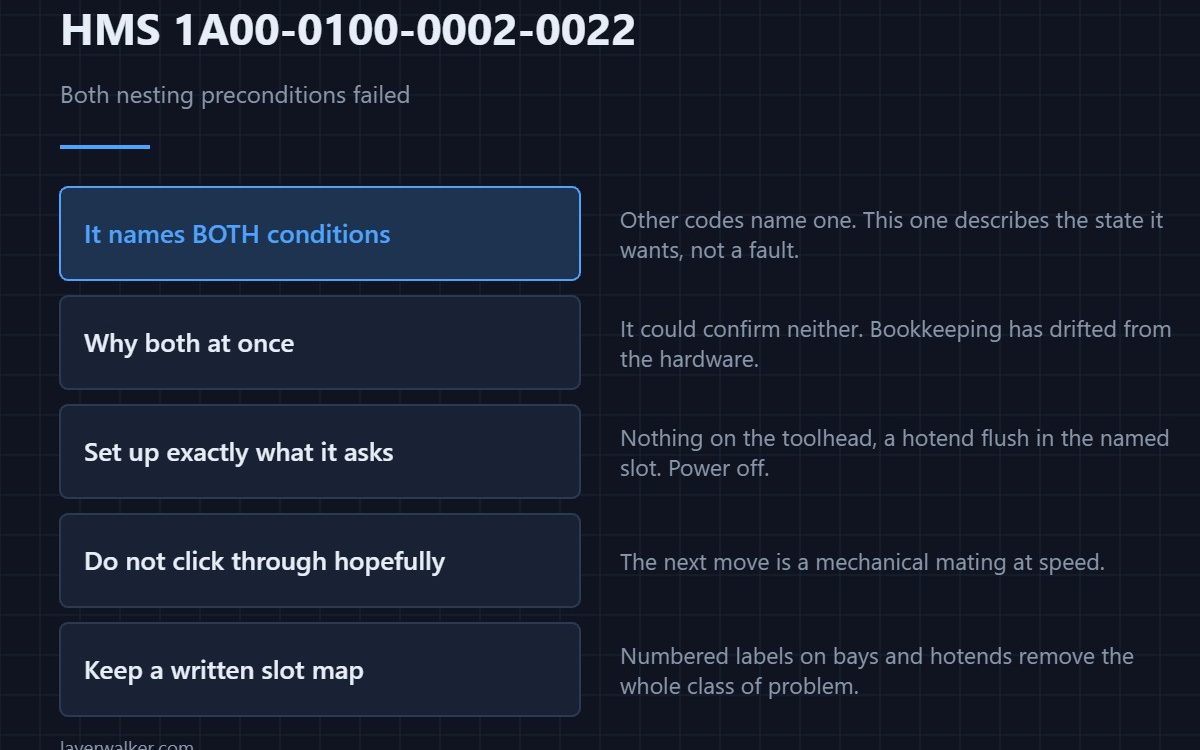
HMS 1A00-0100-0002-0022 asks you to ensure no hotend is mounted on the toolhead and that a hotend is present in slot 1 before continuing. It states both conditions at once because the machine could not establish either of them, which usually means the record of what is where has gone stale rather than that both are wrong.
The other codes in this family name one condition. This one names both, and that is the clue.
Where to buy


Why both conditions appear together
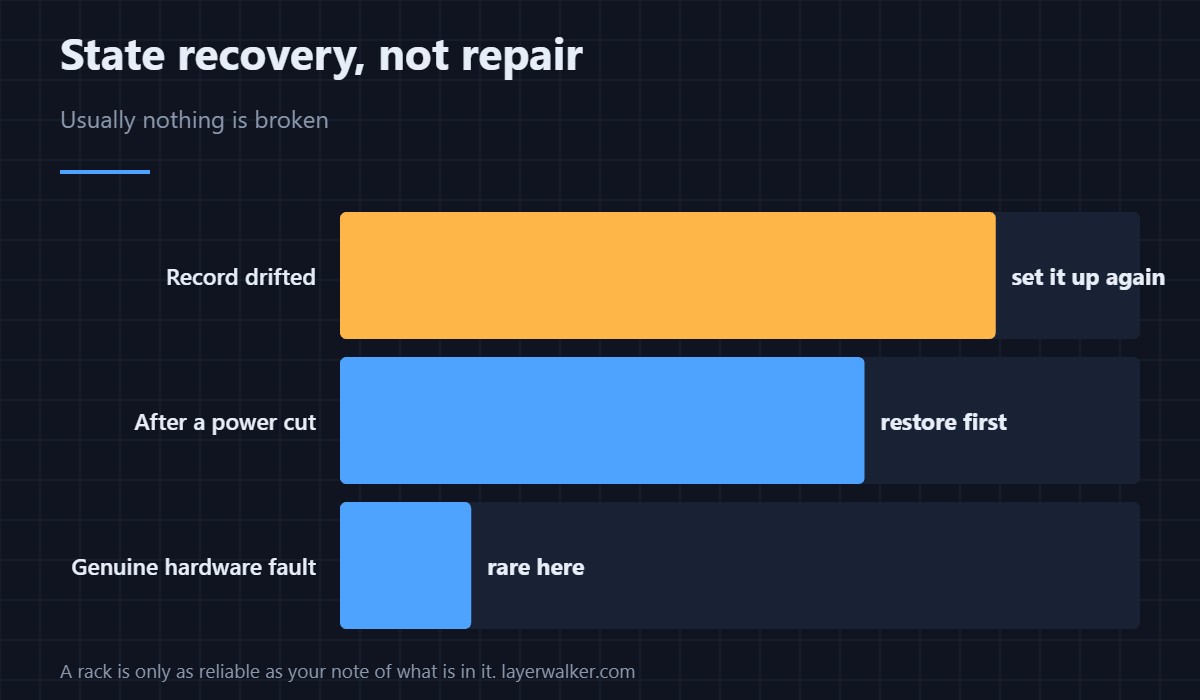
Nesting a hotend needs a tool on the toolhead and a free destination to put it in. When the machine can confirm neither, it stops describing a specific fault and starts describing the state it wants. That happens after an interrupted sequence, a manual intervention, or a power cut, where its bookkeeping no longer matches the hardware.
Put the machine and the rack into the state it asks for
Work with the power off and set up exactly what the message describes: nothing on the toolhead, and a hotend seated flush in the slot it names. Then continue and let the check re-run. Resist the urge to click through hoping it sorts itself out, because the next move is a placement at speed.
Keep a written record
A rack is only as reliable as your memory of which slot holds which nozzle size, and that memory is what fails after a week away. Numbered labels on the bays and on the hotends cost almost nothing and remove the whole class of problem.
How HMS 1A00-0100-0002-0022 differs from the single-condition codes
An empty toolhead alone reads as HMS 1A00-0100-0002-0021, and an occupied destination alone reads as HMS 1A00-0100-0002-0004. Getting the combined version means you are recovering a state rather than fixing one thing.
What to check before the next job
Run a homing cycle and a swap on a plate you do not mind losing, so the first real use is not the test. Hotend hardware is covered in 3D printing hotends, and the platform in the Bambu Lab H2D.
HMS 1A00-0100-0002-0022 FAQ
Can I just click Continue?
Not safely. The check exists because the move that follows it is a mechanical mating at speed.
Which slot does it mean?
The one named in the message. Set that bay up and leave the others alone.
Does it mean something is broken?
Rarely. It is a state-recovery message far more often than a hardware one.
Why after a power cut?
Because the sequence stopped halfway and the record was never updated — see HMS 1A00-2000-0002-0001.
One of the single-condition codes is worded identically to another: HMS 1A00-0100-0002-0020. Same condition, same recovery, raised from a different stage of the swap.

LayerWalker
Print defect diagnosis, calibration procedures and parts that actually fit. Corrections welcome through the contact page.